
DJI Agras T100 Parts
Pick an assembly, hover a numbered marker to preview the part, and add it to your cart without leaving the diagram. Tap markers on mobile.
T100 Propeller Assembly
Assembly 15 of 15 · 5 parts · 2 in stock online
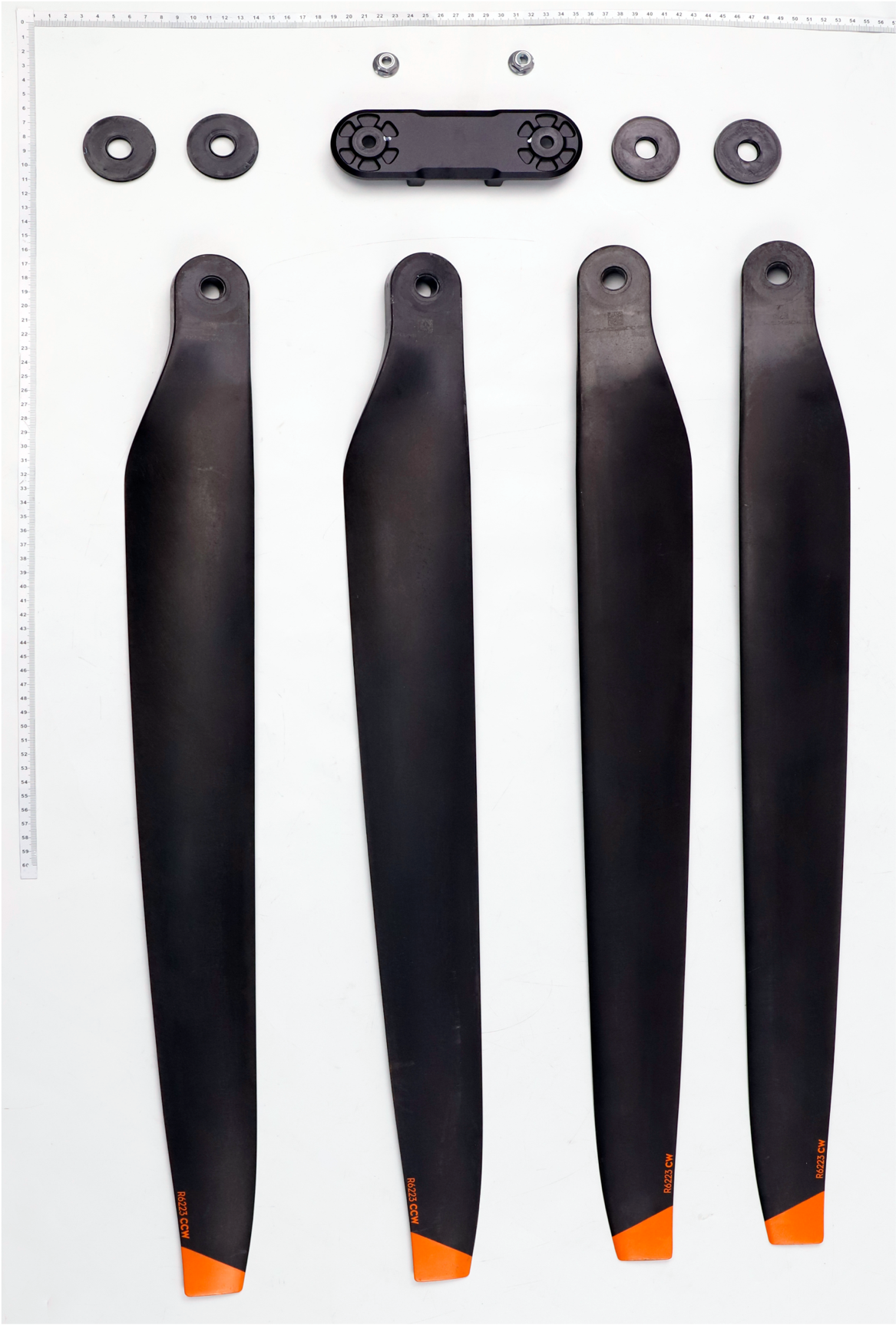
Parts in this assembly
5 partsHow the T100 exploded view works
Each of the T100's assemblies is drawn as an exploded diagram with the same item numbering as the manufacturer's maintenance parts breakdown. Pick an assembly from the strip, hover or tap a numbered marker to see that part's name, manufacturer SKU, live stock, and CAD price, and add it to your cart without leaving the diagram. Prefer starting from the aircraft itself? The T100 3D Parts Explorer lets you rotate a full 3D model of the drone and jump into any assembly from there.
Using the T100 exploded view
How do I use the T100 exploded view to order parts?
Pick an assembly from the thumbnail strip, then hover (or tap on mobile) any numbered marker on the diagram. A card appears with the part's name, SKU, stock, and price — click the plus button to add it to your cart. The parts list beside the diagram mirrors the markers: hovering a row highlights the matching part on the diagram.
What do the numbered markers on the T100 exploded diagram mean?
Each number matches the item number in the manufacturer's parts breakdown for that assembly. Marker 7 on the spray boom diagram, for example, is item 7 in the spray boom parts list — the same numbering a service manual uses, so diagrams, invoices, and repair guides all agree.
Why does a part show "Request for Quotation" instead of a price?
Some parts are priced on request because supply pricing varies. Click through to the part and submit a quotation request — SkyFlow sources it and replies with current pricing and availability.