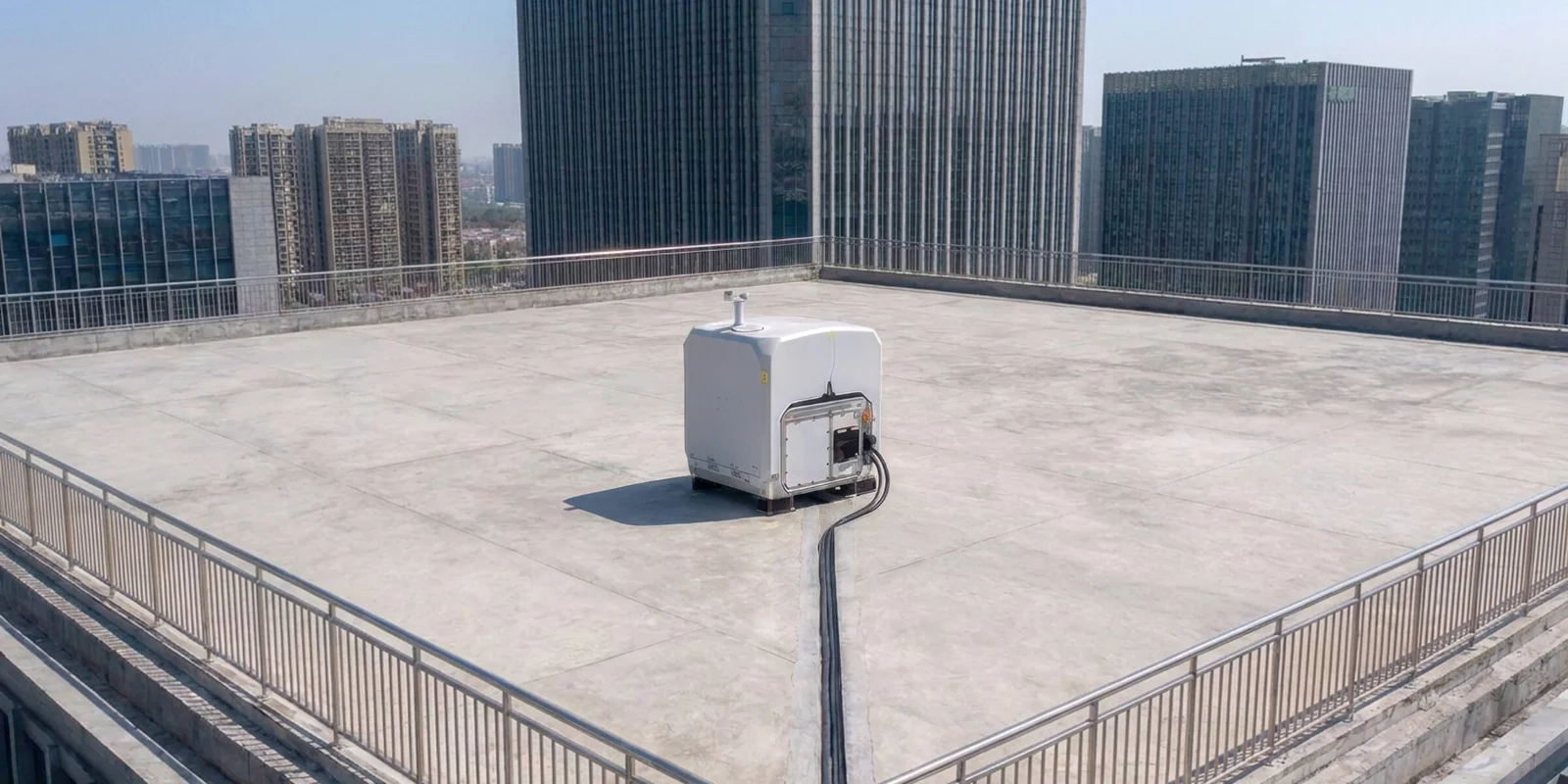
DJI Dock 4 installation in Canada: what makes a site ready?
A dock installation is a combination of equipment, a physical site, communications and an operating organization. Before ordering DJI Dock 4, turn the proposed location into a documented project brief. That helps the supplier, site owner, network team and operator identify assumptions before equipment arrives.
This is a preliminary planning checklist based on DJI’s current instructions and Canadian operating guidance checked October 16, 2026. It does not replace the manufacturer’s installation manual, an electrical or structural assessment, or a mission-specific regulatory review.
See the SkyFlow Dock 4 system guide for product details and a quotation request.
Define the observation area first
Start with the target area, not the easiest place to bolt down a dock. Mark the locations the aircraft needs to observe, likely routes, obstructions, neighbouring properties, public access and potential emergency landing areas. State how quickly useful information is required after a dispatch.
Consider whether the best dock position for maintenance access is also suitable for departure, return and communications. A rooftop can offer useful clearance while introducing structural, access and fall-protection questions. A ground location may simplify maintenance while exposing the system to vehicles, people or obstructions.
Document ownership and permissions for the proposed site. Identify who can shut down power, enter the equipment area and access the dock during a fault.
Plan the required O4 Ground Station
Dock 4 must be used with the O4 Ground Station. Treat it as part of the location design, not as a small accessory to place wherever convenient.
DJI’s FAQ calls for an elevated, open and unobstructed position, away from communications interference and metal obstructions. It specifies a 1.5–80 m cable run between dock and ground station and clear sight between the station and the aircraft while in the dock.
Have the survey examine both positions. Note buildings, plant equipment, antennas and changes that could occur later, such as a new structure or parked machinery. Ask the installer to document the selected location and the reasoning behind it.
Some promoted high-rise deployment features have geographic limits. DJI’s launch footnotes refer to coverage supporting most Asia-Pacific regions. Do not assume that capability is available at a Canadian location without confirmation.
Have the electrical supply assessed
Dock 4’s published input is 100–240 V AC, with maximum power of 2,000 W. The project should include an assessment of the supply, circuit, protective devices, grounding, cable routing and local installation requirements by the appropriate qualified person.
A matching plug or an existing Dock 3 circuit does not prove suitability. Establish what happens during an outage and how alarms reach the operator. The dock's backup behaviour has limits: aircraft charging and air conditioning are not supported on backup power in DJI’s specification.
Record who supplies electrical work and who signs it off. It should be a named item in the deployment scope rather than an assumption between supplier and customer.
Measure the network at the proposed location
DJI calls for uplink and downlink exceeding 20 Mbps and recommends at least 40 Mbps with no external devices, with network latency no greater than 100 ms for a better experience. A general office internet package does not show what is available at the dock under load.
Test the intended connection during busy periods. Ask the IT team about firewall rules, remote access, device provisioning, account ownership, data retention and incident response. If external camera feeds or integrations are planned, include their traffic and access needs in the review.
Regional 4G support, radio frequencies and subscription arrangements require confirmation. Do not make a backup cellular connection part of the accepted design until its availability and performance have been checked.
Assess weather, drainage and maintenance access
Dock 4 is IP56 and Matrice 5TD is IP55. DJI lists −40°C to +50°C operation for the dock and aircraft, subject to their instructions. Those ratings do not mean every Canadian winter condition is acceptable.
Review snow accumulation, drifting, drainage, icing, wind exposure, corrosion sources and access after severe weather. Identify how staff will inspect or service the dock when normal site access is restricted. Include the required clearances from the installation manual in the actual design.
Ask who owns the maintenance schedule, replacement batteries, firmware policy and response to a failed self-check. “Remote operation” still needs a practical route to on-site intervention.
Separate operating permission from installation acceptance
A powered, connected dock is not automatically an authorized flight operation. Determine the applicable Canadian operating category, pilot requirements, aircraft declarations, airspace arrangements and operator responsibilities.
Transport Canada’s Level 1 Complex pathway allows specified lower-risk BVLOS operations under defined conditions. It requires the relevant pilot certification and operation under an RPAS Operator Certificate, among other requirements. Other missions may require an SFOC-RPAS. Verify the exact aircraft and intended operation rather than assuming a declaration for another model applies.
Do not promise automatic approval, unrestricted night operations or BVLOS capability based solely on a sensor list.
Write an acceptance test before installation
Agree what “ready” means. A useful acceptance plan can include verified power and grounding documentation, network tests, account handover, device health checks, a representative authorized mission, data delivery, alert handling and a recovery procedure.
Test the intended workflow rather than only showing that the cover opens. The people who will operate and maintain the system should know how to recognize a fault and who to contact.
Send a complete site brief
Include a location plan, photographs, intended missions, proposed dock and ground-station positions, power and network information, IT constraints, operating arrangements and target timeframe. List any contractor work already arranged.
Request a SkyFlow project quotation. Our quotation comparison guide explains how to keep supply and installation responsibilities visible.
Sources
Plan your Dock 4 deployment with SkyFlow.
Send your site, mission, power and network requirements. We’ll confirm the proposed Dock 4 / Matrice 5TD configuration and supply scope in writing.
Quotation only. Regional features, availability, software and included services require confirmation.