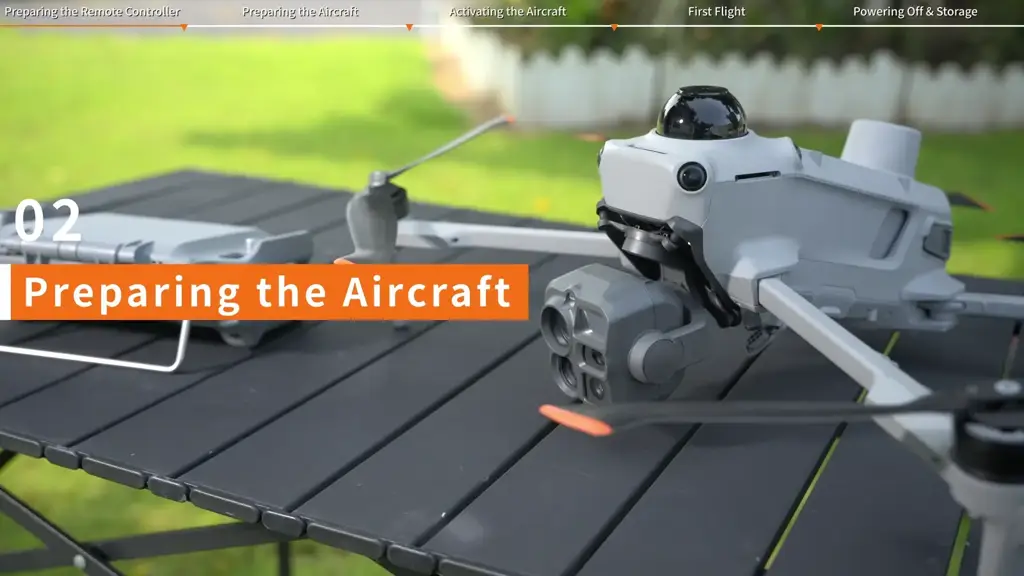
Airborne relay adds a communications aircraft to the mission. The planning question becomes: Which aircraft is working, which aircraft is carrying the link, and how will the complete group return? Answer that before opening the linking menu.
Draw the connection path
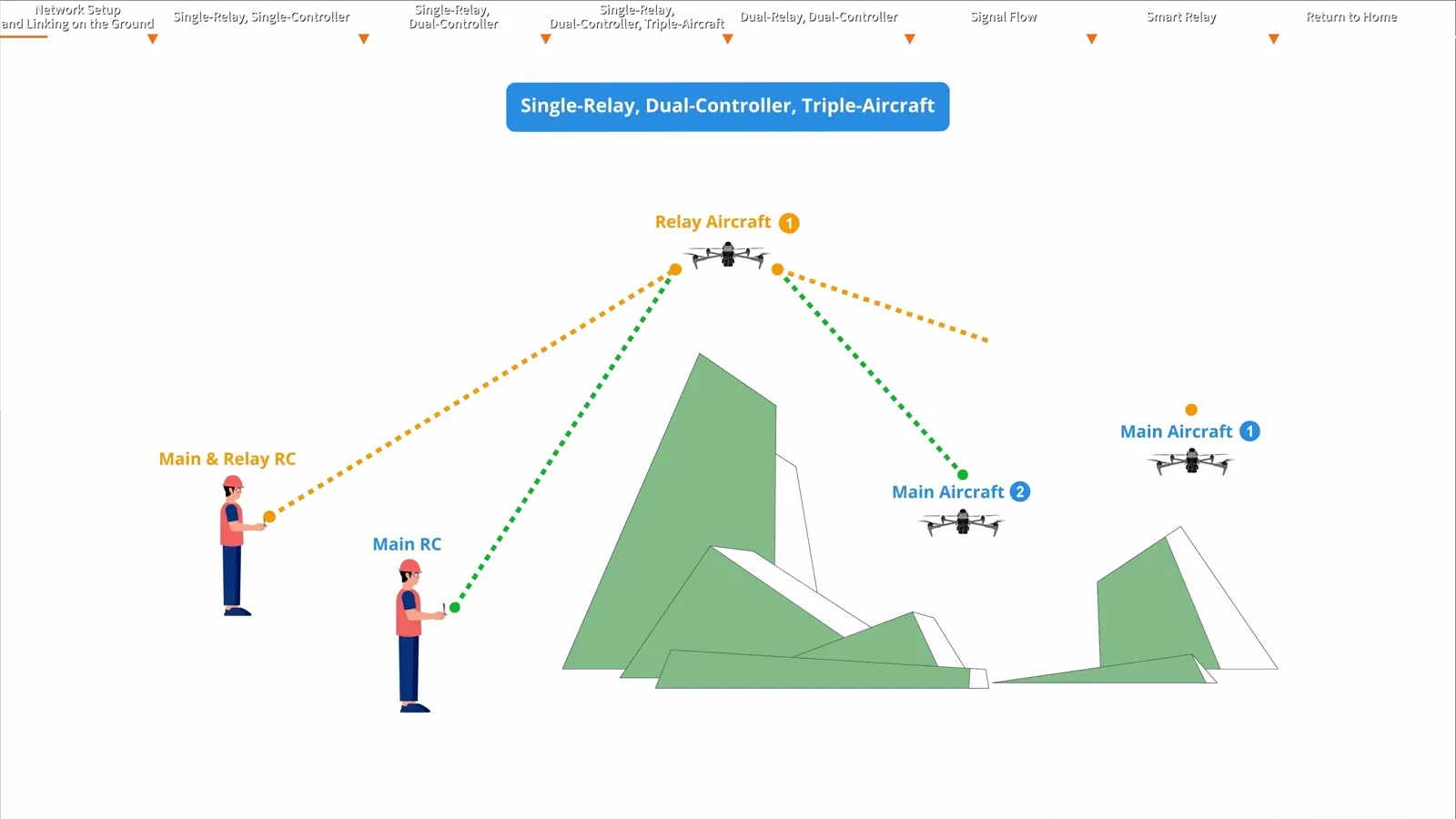
DJI’s tutorial demonstrates several arrangements, including a relay with a working aircraft, one relay serving two working aircraft, and two relay stages. Begin with the simplest configuration that suits the assignment.
Label every aircraft and controller. Draw the path from controller to relay to working aircraft, then mark the launch and recovery locations. This gives the crew a shared reference during linking and helps explain the signal diagram shown in DJI Pilot 2.
Give the relay a clear job
The relay position should serve the communications path while allowing a practical return. Consider the surrounding terrain, structures, weather and battery requirement. Include the relay’s own flight time in the mission plan; it is an active aircraft with a recovery sequence.
A useful planning sheet has four columns: aircraft identifier, role, controlling operator and recovery order. Add a fifth column for the battery decision point. This keeps the communications plan tied to the equipment that sustains it.
Link deliberately and verify the diagram
Follow the tutorial’s findable-device process, then identify the correct devices before connecting them. DJI notes that a restart exits findable mode. Complete the sequence and inspect the resulting link path in the application.
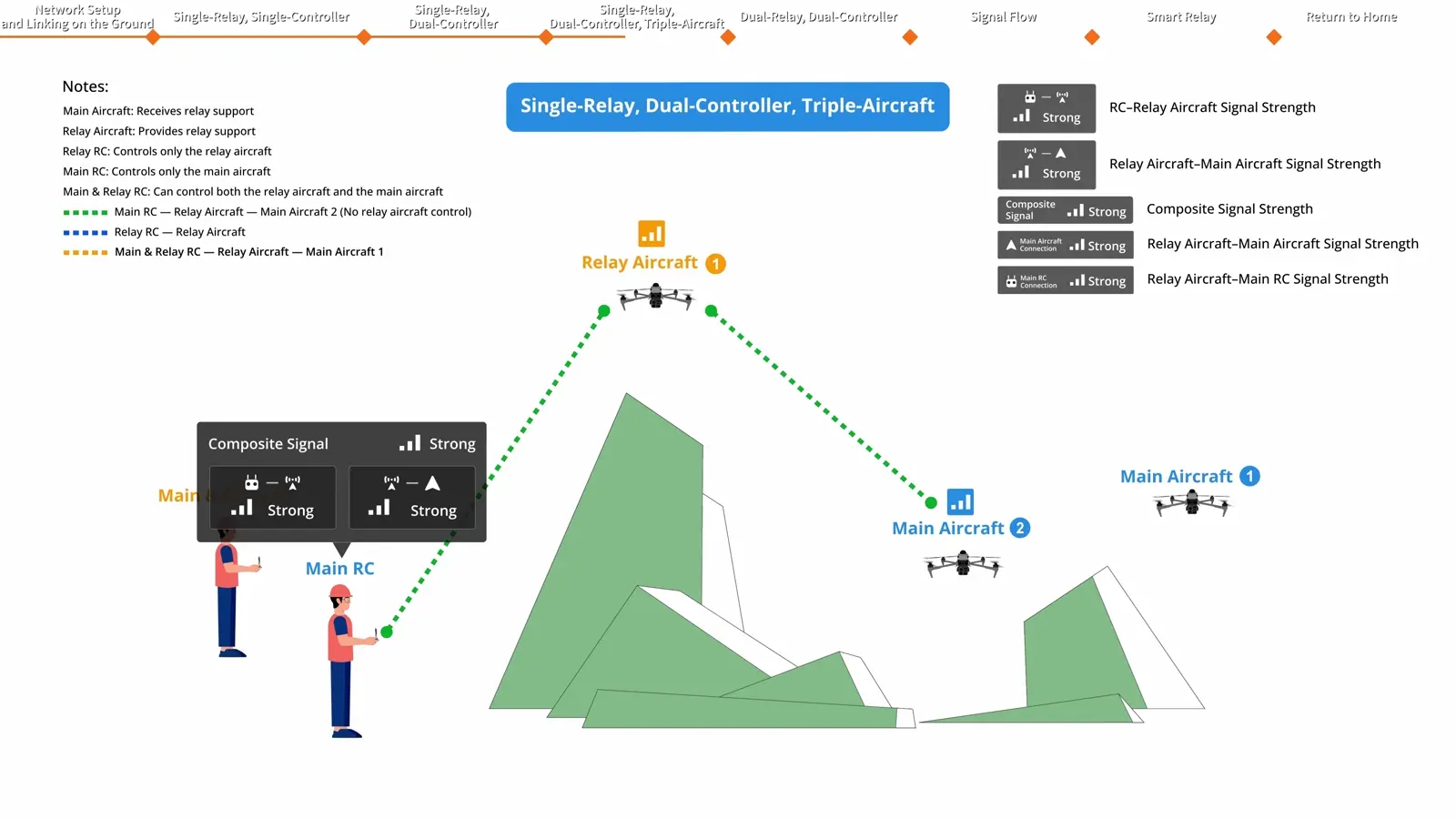
Read the diagram as a system check. Confirm the devices and roles rather than treating a single live camera image as the whole setup. Recheck the active aircraft when switching views or controls.
Rehearse Smart Relay and switching
The later tutorial chapters show aircraft switching and Smart Relay behaviour. Practise these functions with a simple arrangement and a short exercise. The operator should be able to identify the active aircraft promptly and explain the relay’s role at each stage.
Record the configuration and firmware used during the rehearsal. When adding another aircraft or controller, repeat the setup check with the complete equipment set.
Sequence the recovery
Monitor the relay battery alongside the working-aircraft batteries. Plan the order so that the link remains available while the working aircraft returns. Agree on the action to take when a battery reaches the team’s decision point and communicate the change clearly.
The result is a mission plan that includes communications, aircraft control and recovery together. Use the video’s timestamps to revisit the configuration, discovery, link diagram and Smart Relay sections as you prepare the equipment.
Watch the Airborne Relay 3.0 lesson · Explore the Matrice 5T platform
Product references
DJI Matrice 5T specifications · DJI product FAQ · DJI tutorials. Images are frames from the supplied DJI Enterprise videos.
What do you need next?
Two quick paths: book spraying/scouting services, or explore ownership/financing options for drones and parts.
Get drone spraying, precision scouting, and variable-rate applications across Ontario. Fast scheduling and pro operation.
Browse drones, parts, and accessories. If you want a demo or need help choosing, we’ll guide you to the right setup.